
What Do Python and Machine Learning Mean for Technical SEO?


Python is one of the most popular languages for powering platforms, analyzing data and running machine learning models. Its popularity has grown even more with the rise of AI platforms. In technical SEO in particular, Python is easy to work with. In this article, I’ll share what Python and machine learning mean for technical SEO.
What Is Python?
In short, Python is an open-source, object-oriented, interactive programming language that is interpreted line by line. One of the things that makes Python special to me is that Google’s early web crawler was written largely in Python — which is why it’s one of the languages that has caught my attention the most.
Another thing to know about Python is that it is widely considered one of the easiest programming languages to learn.
How Do You Run Python?
You can run Python in several ways. Most systems come with Python installed — most likely Python 3 — but you can check which version you have by typing “python” (or “python3”) in your terminal.

If you have Python 2 installed, I recommend downloading the latest version from the Python website. Python 2 was officially retired in 2020, and there are some syntax differences between the two, so it’s best to make sure you’re using Python 3.
You can also update Python from the terminal. On macOS, for example, you can install a version manager with the command “brew install pyenv.”

You can run Python from your terminal or command-line IDE (integrated development environment), as well as from desktop platforms such as PyCharm or VS Code. Alternatively, you can use cloud-based options, including the examples below:
These cloud-based alternatives let you learn and test code line by line, especially if you’re new to Python. They also make it easier to share your work with your team.
How to Learn Python
There are many online tools for learning Python, and the best method depends on your learning style. Based on learning style, I can recommend the following platforms:
- If you’re a visual learner and comfortable following videos, I recommend Udemy, the simplest and best-known learning platform. You can also try freeCodeCamp.
- If you work better with project-based learning, Codecademy and Sololearn are great places to try. These sites also give you a way to track your learning and start a project portfolio.
- If you prefer gamified, more fun learning, sites like CodeCombat and Checkio help you build a coding habit in an enjoyable way.
Once you’re comfortable with Python basics, the best thing to do is start working on projects. They don’t have to be SEO-related, but having practical examples can be helpful. If you’re interested in the data analysis side of Python, take a look at the free datasets on Kaggle and try working with them.
Benefits of Automating Tasks With Python
Although Python can’t replicate strategies driven by human intuition, scripts can be used to automate a large number of tasks.
With web scraping, you can pull data from web pages, analyze competitors, do keyword research or analyze content. For example, you may want to collect product information (name, price, features) from an e-commerce website. Web scraping lets you extract, analyze and use this data quickly and efficiently. However, I recommend paying attention to the website’s terms of use and legal regulations when scraping.
Python also makes routine SEO tasks much easier by automating them — creating XML sitemaps, checking text files for errors or running technical SEO checks on your website at regular intervals. With natural language processing, you can analyze and process text for content optimization, keyword density analysis and analyzing user reviews.
Using Python in SEO
While it’s important to understand the languages that power the websites we work on (such as HTML, CSS and JavaScript), Python offers many automation opportunities for tasks that would otherwise take us hours. Python can be used in SEO in many ways. For data analysis and reporting, you can pull data from tools such as Google Analytics and Google Search Console and analyze it to shape your SEO strategies. You can even combine your data with AI to support your strategic insights. In other words, Python helps SEO specialists not only with repetitive tasks but also with easily drawing insights from and analyzing large datasets.
The list of tasks you can automate with Python keeps growing, but it mainly includes:
- Identifying user intent
- Mapping URLs before a migration
- Internal link analysis
- Keyword research
- Optimizing images
- Pulling data from web pages with web scraping
Better understanding data will not only help us do our jobs better but also let us make data-driven decisions.
How to Add Python to Your SEO Workflow
The best way to add Python to your workflow is to start thinking about what can be automated — especially boring, time-consuming tasks. Alternatively, you can see it as a way to deal more efficiently with the data you have.
SEO plays a big part in digital marketing. So when doing SEO, don’t be afraid to take inspiration from other people’s scripts, play around and even break things while learning — that’s the best way to learn.
Finding the cause of a problem and ways to fix it is a big part of what we do as SEOs, and the same is true when learning and using Python.
Example Ways to Use Python
In this section, I’ll give you project examples of where you can use Python. You can gain practice by trying them out.
Redirect Relevance
The first practical way to use Python is to create a redirect relevance script that determines whether the redirect mapping applied for a migration is correct.
This involves crawling your site before and after the migration and segmenting different categories based on their URL structures.
Then you can use some of Python’s built-in comparison operators to determine whether each page’s folder and depth stayed the same or changed after the migration.
Below I explain step by step how to do this in Google Colab.
Using Python for Redirect Relevance
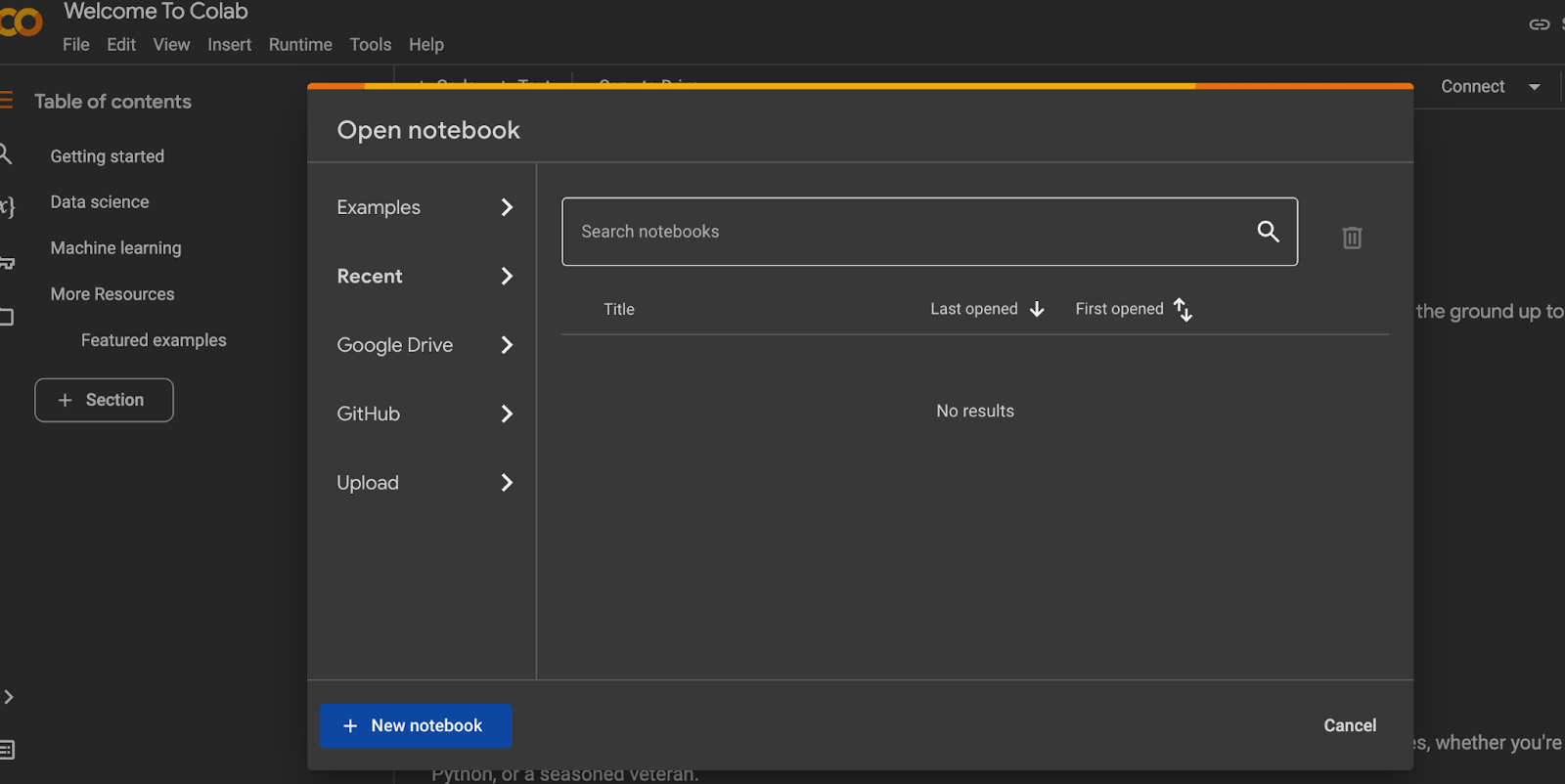
- Go to the Segmentation GitHub file and copy its URL.
- Open Google Colab.
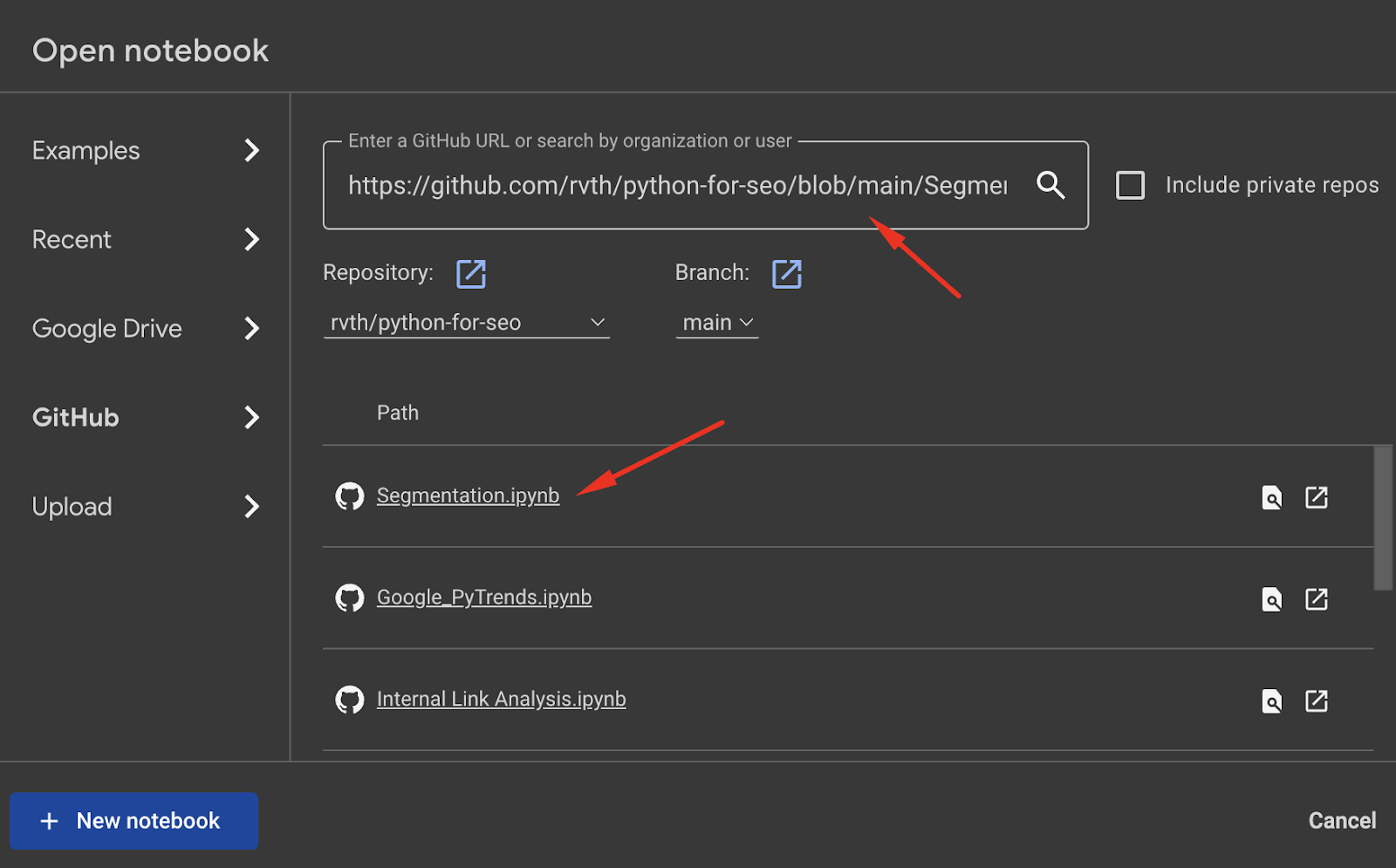
- In Colab, click “GitHub,” find the repository and pull the code.
- You can get the output by following the instructions.
I’ve also improved the code and shared it on GitHub. You can find my Segmentation Checker here.
Using Python for Internal Link Analysis
Another practical script that uses crawl data is internal link analysis with Python. It helps you identify the sections of your site with the most internal links and discover opportunities to improve internal linking for different sections.
It uses segmentation to identify different URL categories and pivot tables to export the number of internal links pointing to each category on the site.
You can check out the Python code I prepared for this on GitHub: (Internal link analysis)
Generating Image Captions With Pythia
This script uses Pythia, a modular deep learning framework created by Facebook, to generate a caption for an image URL. The caption can then be used for images missing alt text, which is important for accessibility and image search.
Pythia is based on a bottom-up and top-down attention mechanism that computes results by focusing on different elements in an image, and I’d say this kind of “what is this?” identification has contributed greatly to the machine learning behind today’s AI.
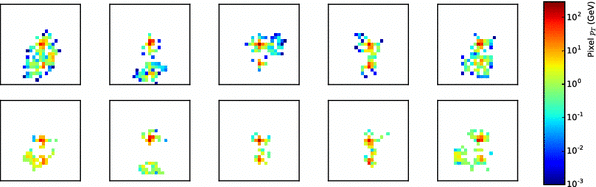
In general, Pythia combines the pixels it selects to form a coherent picture and then describes it. Put more simply, it assigns weights to individual pixels in the image and outlines the region with maximum attention to describe it.
This script can also be run easily in Google Colab. Once you save a copy of the code to your own Google Colab, you can run it right away.
It will download the data sources needed to run and automatically complete all the steps that would otherwise be manual. For example, all libraries will be installed, classes created and functions assigned automatically.
I prepared Python code for you that you can run in Google Colab, and I plan to add it to my website as a tool soon. For now, you can access the alt text generator at https://github.com/ceydaguz/alt-text-generator.
Your ideas and feedback are very important to me. If you have any questions, ideas or feedback, please get in touch. Wishing everyone days full of visitors.


